
This article is part of our collection at Banana Prompts, where you can explore high-quality Nano Banana prompts.
The Rise of Reasoning Engines in Design
In the world of professional design, speed and quality are everything. For years, designers have relied on tools like MidJourney and Stable Diffusion to generate visuals, but a quiet revolution is happening. Professional designers are increasingly switching to Nano Banana Pro, and it's not just about better images—it's about a fundamentally different approach to AI-assisted design.
The "Plastic Skin" Problem
One of the most common complaints about AI-generated images was the "plastic skin" effect. Traditional diffusion models struggled with realistic textures, especially for human skin. They would produce smooth, waxy surfaces that looked uncanny and artificial.
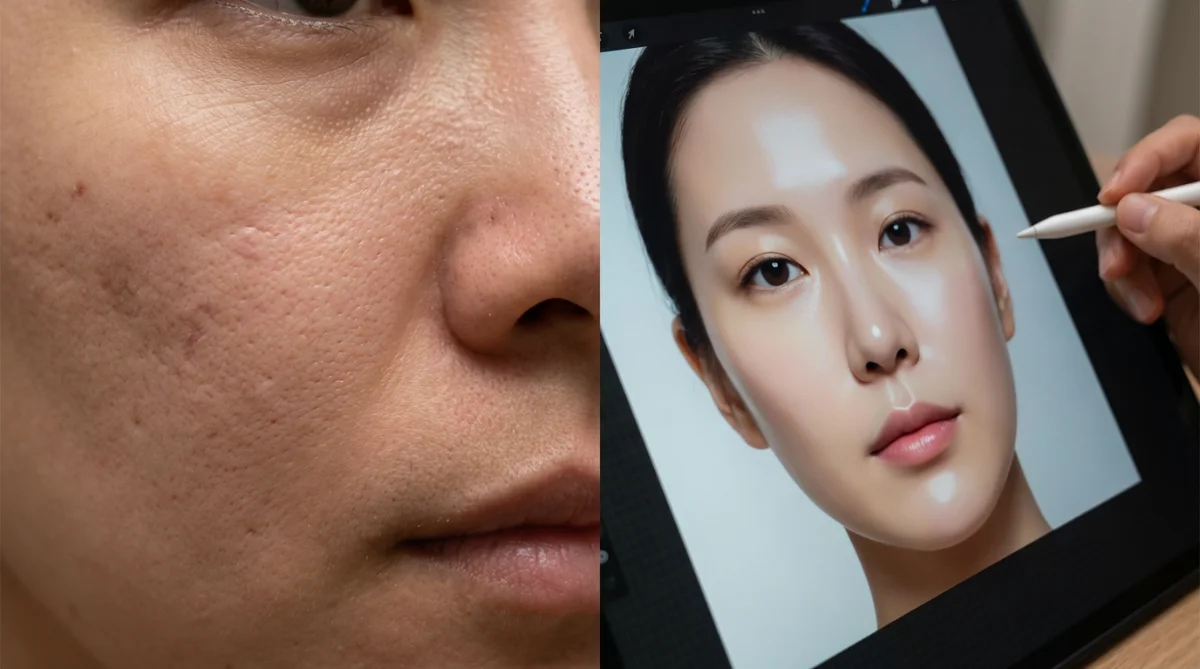
Nano Banana Pro solved this by integrating a reasoning engine. It understands that skin has pores, blemishes, and subtle variations in tone. It calculates how light interacts with different skin types, creating images that look like actual photographs rather than digital renderings.
Speed vs. Quality
Designers have learned that true speed isn't about how fast an image generates, but how quickly they can get a usable asset. If an image takes 20 seconds to generate but is 95% correct, that's faster than spending 30 minutes fixing a flawed image.
Typography & Information Architecture: The End of "Lorem Ipsum" Hallucinations
If "plastic skin" was the visual tell of AI, "alien gibberish" was the textual tell. For years, AI image generators treated text as texture, producing squiggly lines that looked like letters but formed no coherent words.
The Gibberish Era
Designers developed complex workflows to deal with this. They would generate an image, bring it into Photoshop, use Content-Aware Fill to remove the alien hieroglyphics, and then manually overlay real text—often with disjointed results.
Native Text Rendering: A Game Changer
Nano Banana Pro has effectively solved this problem. Powered by Gemini 3 (an LLM), it knows how to spell. It understands that "STOP" is S-T-O-P, not a random collection of red shapes.
The "Luna Books" Test: In a head-to-head comparison, Nano Banana Pro was the only model to correctly render a storefront sign reading "LUNA BOOKS," placing it logically on the building's architecture.
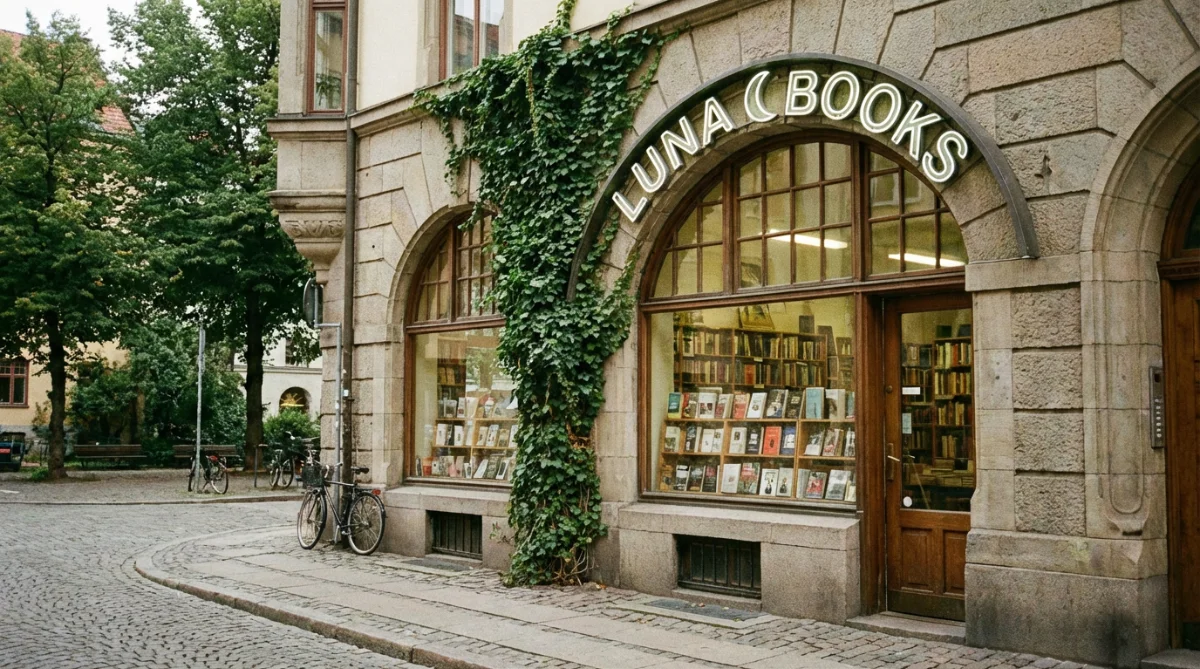
Infographics and Data Visualization: You can prompt for "An infographic about the 5 steps of product design," and Nano Banana Pro will generate boxes, arrows, and readable labels for each step. It creates a first-pass layout that is 90% usable.
The Localization Workflow
One of the most powerful features for enterprise designers is the translation capability. Because the model understands text semantics, it can translate text within an image.
Imagine designing a global campaign for a soft drink. You create a poster for the US market with the slogan "Fresh Taste." With Nano Banana Pro, you can ask the model to "regenerate this poster for the Japanese market." It will not only translate "Fresh Taste" into Japanese characters but also adjust cultural nuances if requested.
Color Harmony & Mood Consistency: The Brand Guardian
Consistency is the holy grail of branding. A brand is not a logo; it's a consistent feeling, palette, and treatment of light.
The Style Reference Slot
Nano Banana Pro allows users to upload up to 14 reference images simultaneously. This is not just a "vibe check"; it's a full style guide injection.
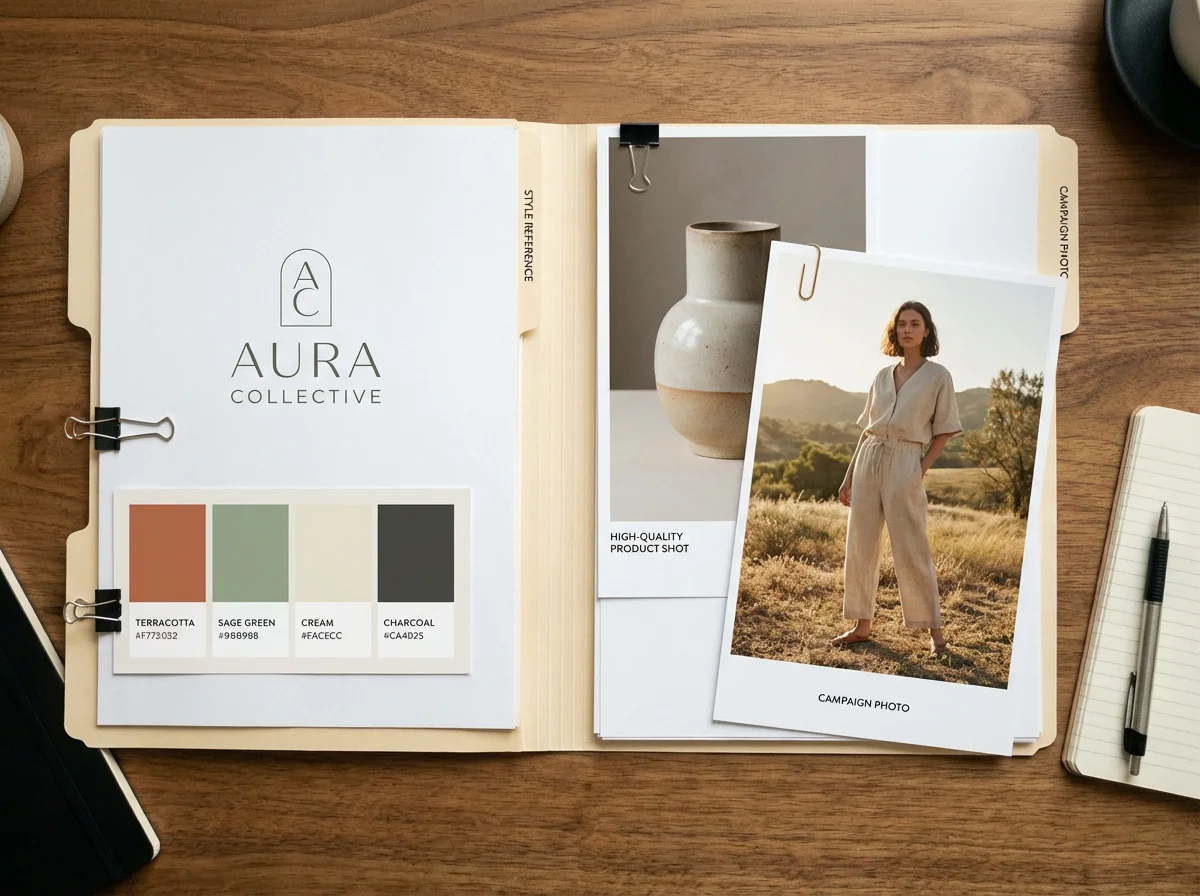
The Workflow: A designer can upload the client's vector logo, official color palette, brand ambassador photo, product shot, and 10 examples of previous campaign imagery.
The Result: The model uses this massive "context window" to generate new assets that fit seamlessly into the existing brand identity.
Lighting as a Variable, Not a Filter
In Nano Banana Pro, lighting is a physical variable, not just a keyword. You can take an existing image and prompt: "Change the lighting to moody night time" or "Add golden hour backlighting."
The reasoning engine re-calculates the shadows. If you move the sun, the shadows move. This allows designers to "relight" a scene in post-production AI, a capability previously limited to high-end 3D rendering software.
Cinematic Color Grading
Designers use color to manipulate emotion. Red for urgency, blue for trust. Nano Banana Pro supports "cinematic color grading" prompts, ensuring visual coherence across all generated assets.
The Adobe Ecosystem & Workflow Integration
Perhaps the most significant reason for the "quiet switch" is where the tool lives. Designers live in Adobe Creative Cloud, not Discord.
The Friction of Discord
Midjourney's reliance on Discord has always been a friction point. For professional designers, scrolling through a chaotic chat feed to find their image is unprofessional and breaks their flow state.
Firefly and Photoshop Integration
Nano Banana Pro (via Gemini 3) has been integrated directly into Adobe Photoshop and Firefly. This turns AI from a "destination" into a "utility."
Generative Fill on Steroids: Photoshop's Generative Fill can now use Gemini 3 (Nano Banana Pro) from the model dropdown, respecting the lighting and perspective of existing layers.
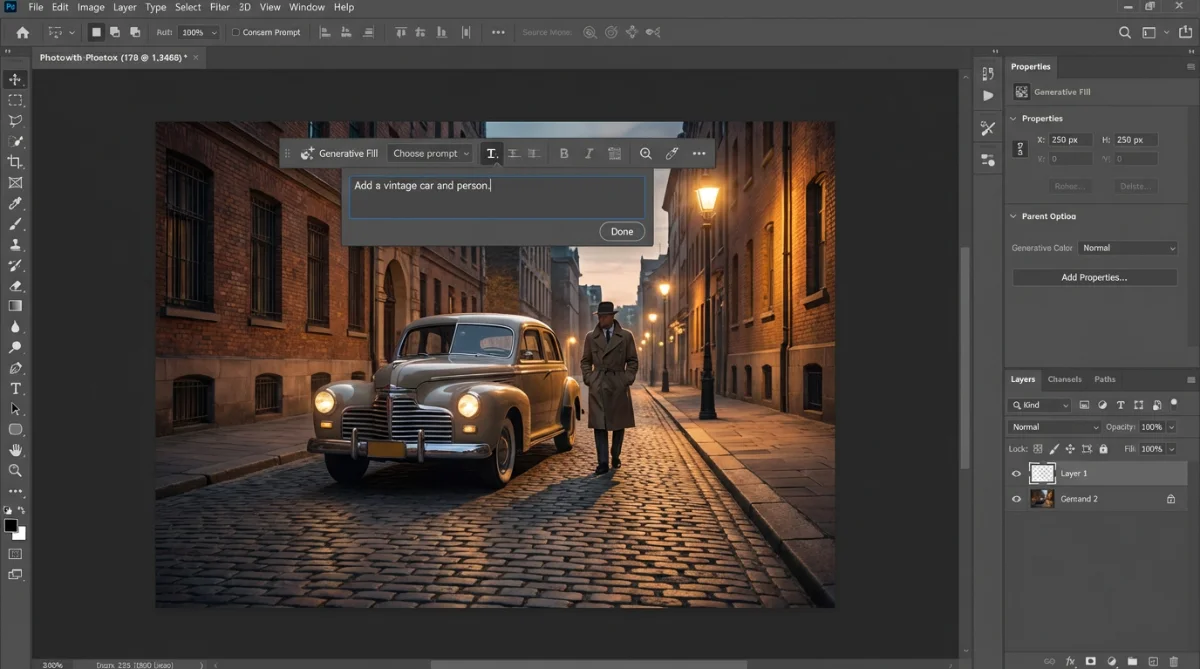
Safety and Commercial Use: Integrated into Adobe's enterprise flow, it carries the same commercial safety assurances that Adobe users expect.
Advanced Use Cases: The Insider's Toolkit
Beyond the basics, power users are exploiting Nano Banana Pro's reasoning engine for tasks that traditional image generators simply cannot do.
Map Visualizations and Geospatial Rendering
Designers can create stylized maps for travel brochures, real estate developments, or event guides. The model understands geography and can generate "Realistic 3D-style aerial maps" with precise terrain and labeled features.
Restoration and Archival Work
Nano Banana Pro's reasoning engine excels at photo restoration. It uses "context-aware reconstruction" to analyze pixel data, predict missing details based on historical knowledge, and rebuild textures while preserving film quality.
The "Decade Grid" and Time Travel
Designers are using Nano Banana Pro to visualize products or people across different decades. It ensures period-accurate fashion, film grain, and lighting for each panel without manual research.
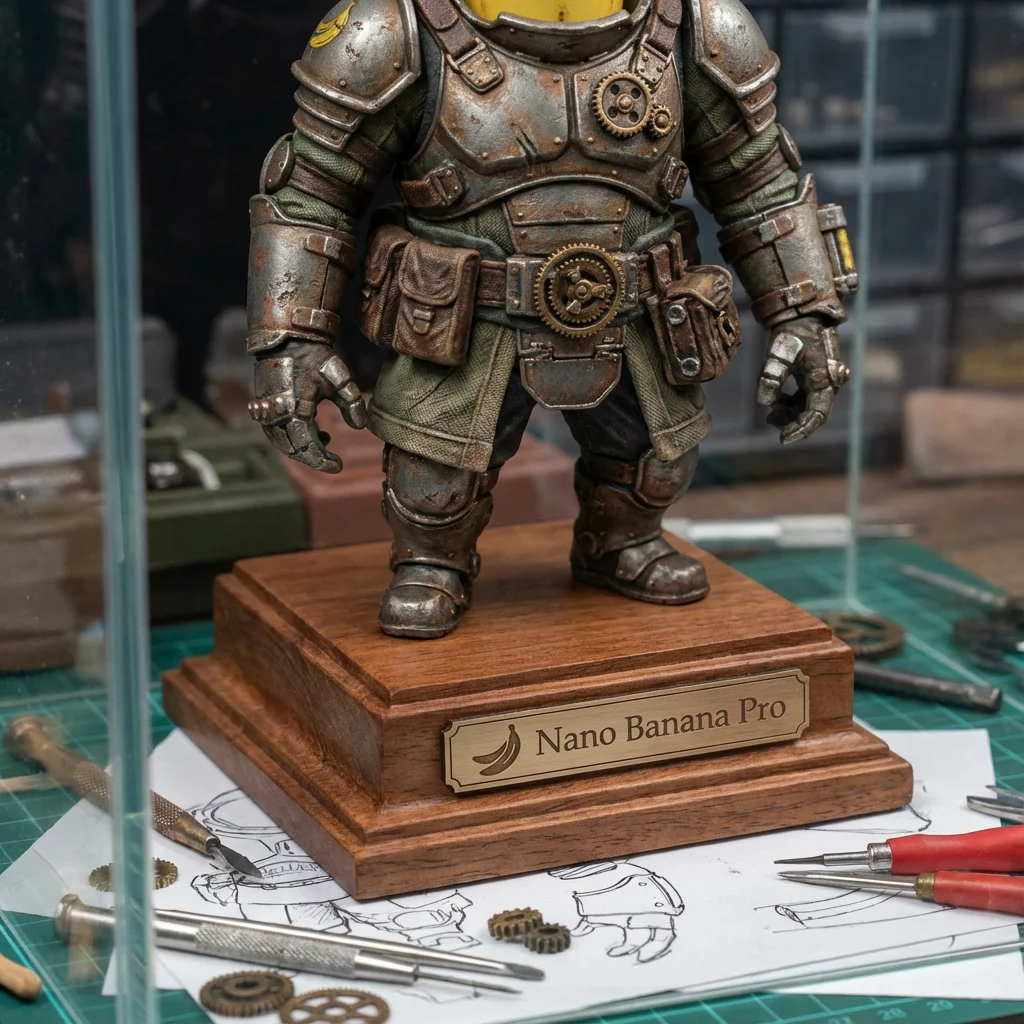
3D Figurines and Product Concepts
The model's understanding of physics allows for incredible "3D Figurine" generations. Designers can create realistic collectible models or merchandise concepts without hiring a 3D sculptor.
The Complaints Department
No tool is perfect. Designers are voicing valid complaints:
"Midjourney is Still Prettier"
For pure artistic beauty—fantasy landscapes, abstract art—Midjourney still holds the crown. Its "opinionated" aesthetic is a feature for concept artists.
The Hardware and Open Source Divide
Power users who love Stable Diffusion complain that Nano Banana Pro is a "walled garden." They cannot fine-tune it on their own dataset or run it locally.
The Ethics of "Glaze" and "Nightshade"
The broader creative community is still at war with AI over data scraping. Tools like "Glaze" and "Nightshade" are being used to "poison" training data.
Practical Tips: How to Master Nano Banana Pro
Tip 1: The "Reference Stack" Strategy
Create a "Style Bible" folder for each client. Include brand hex codes, logos, target demographic photos, and lighting examples. Upload all of them and prompt: "Adhere strictly to the lighting and color palette of the reference images."
Tip 2: The "Knolling" Hack for Consistency
Ask for a "Knolling" (flat lay) image first. This forces the model to define every part of your object. Then use that image as a reference for subsequent shots, ensuring consistency.
Tip 3: The "Thinking" Toggle for Layouts
For anything requiring logic—a layout, a scene with multiple people, or an image with text—always toggle to "Thinking" (or "Pro"). The reasoning engine needs time to plan the physics.
The Designer-Tailored Example Prompt
Let's construct a "Master Prompt" for a hero image selling a high-end coffee subscription called "Morning Brew":
Subject: A high-fidelity, macro editorial photograph of a premium coffee pouch sitting on a weathered, rustic oak table.
Action/Context: Next to the pouch, a white ceramic cup filled with a fresh latte featuring delicate rosette latte art. Steam rising gently from the cup.
Packaging Details: The pouch is matte kraft paper texture with a minimalist black label. The label explicitly reads: "MORNING BREW" in a bold, sans-serif Helvetica font. Below it, smaller text reads "Organic Roast".
Composition: Pouch on the left third of the frame. Cup in the center. Right third empty with soft focus for text overlay.
Lighting & Mood: Golden hour sunlight streaming from the left side, casting distinct, long shadows across the wood grain. Dust motes visible in the light shafts. Warm, cozy atmosphere.
Technical Specs: 4k resolution, shallow depth of field (f/2.8), focus sharp on the text on the label, background blurred (bokeh) showing a hint of a bustling cafe interior. Documentary style, no plastic sheen, authentic textures.
Conclusion: The Agentic Future of Design
The quiet switch to Nano Banana Pro is about moving from "Generation" to "Orchestration." We're instructing AI to build specific assets according to specific plans.
For designers, this is the moment to get ahead. The skill of the future is "Context Management"—knowing how to feed the model the right reference images, constraints, and logic to get a professional result.
Designers who embrace the boring, controllable, logic-driven power of tools like Nano Banana Pro will find themselves with a superpower: the ability to execute entire campaigns, alone, in an afternoon.
The quiet switch is happening. Now is the time to make noise with your work.
Comparison Matrix
| Feature | Nano Banana Pro (Gemini 3) | Midjourney v6 | Stable Diffusion (Flux) |
|---|---|---|---|
| Core Strength | Logic, Text, Realism, Integration | Aesthetics, Artistry, Fantasy | Control, Open Source, Local |
| Text Rendering | Excellent (Native spelling) | Poor/Improving (Often gibberish) | Good (With specific models) |
| Realism Style | Documentary / Authentic | Cinematic / Stylized | Variable (Dependent on LoRA) |
| Interface | Google Workspace / Adobe / Gemini | Discord | WebUI / ComfyUI (Technical) |
| Reference Inputs | Up to 14 Images (Style/Character) | Style Reference (Sref) | ControlNet / LoRAs |
| Speed | Slow ("Thinking" Mode) | Medium | Fast (Local hardware dependent) |
| Cost | Part of Google/Adobe Ecosystem | Subscription | Free (Hardware cost) |
Common Designer Complaints & Solutions
| Complaint | Cause | Nano Banana Solution |
|---|---|---|
| "Plastic Skin" | Over-tuned aesthetic filters | "Documentary" style prompt + Physics reasoning |
| "Alien Text" | Lack of semantic understanding | Gemini 3 LLM backbone reads/writes text natively |
| "Bad Layouts" | Probability-based placement | "Thinking" mode plans scene physics before rendering |
| "Brand Drift" | Lack of context memory | 14-Image Reference window acts as a Style Guide |
| "Workflow Friction" | App switching | Native integration in Adobe Firefly/Photoshop |
Explore more high-quality Nano Banana prompts at Banana Prompts.