
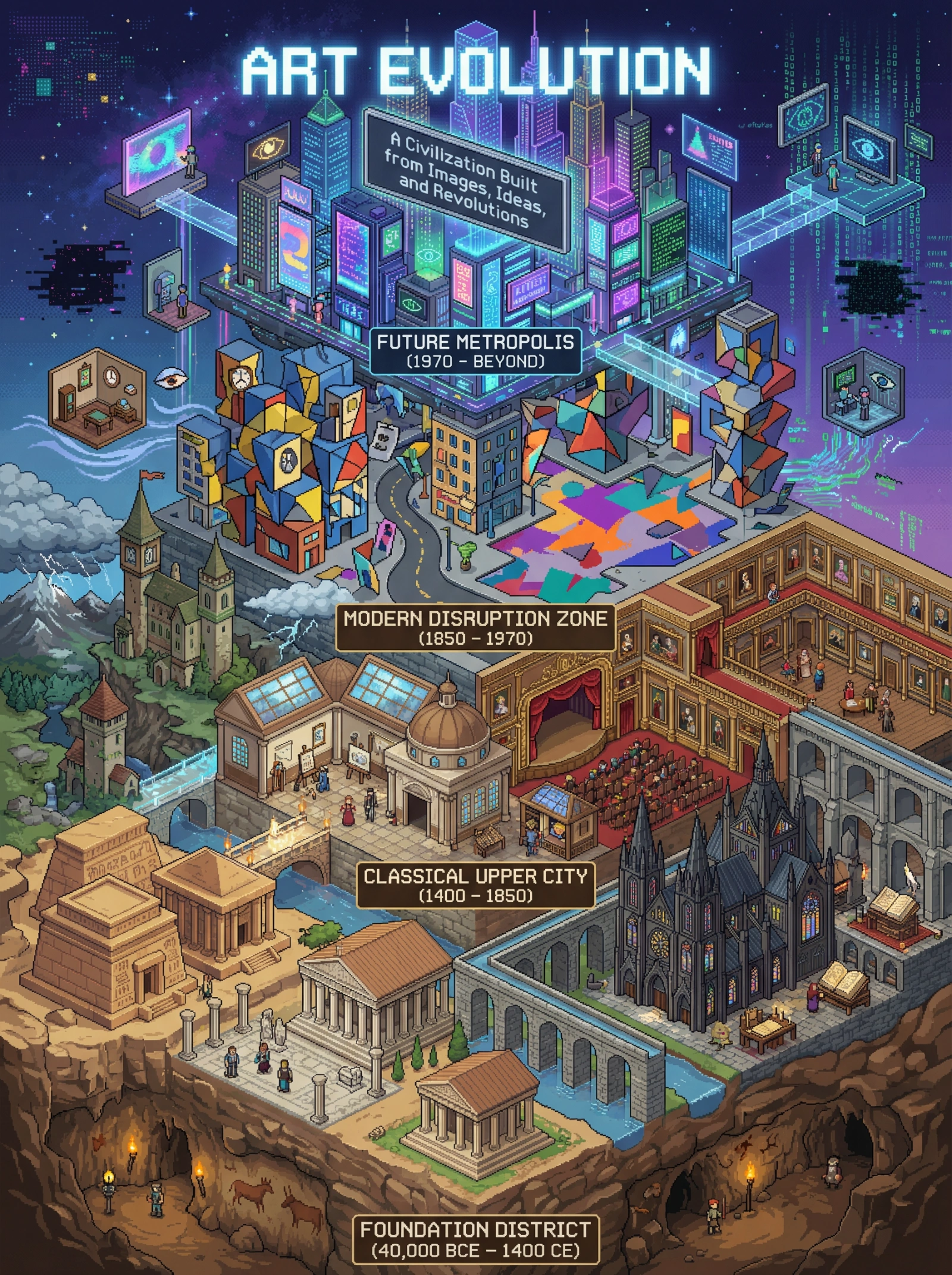
Isometric Art Evolution City
Prompt
Create a highly detailed isometric pixel art illustration of art movements as a vast time-traveling city, in 3:4 aspect ratio at 4K resolution. The city should rise vertically through time, with districts representing artistic eras. VISUAL STYLE — SYMBOLIC ISOMETRIC PIXEL ARCHITECTURE Ultra-detailed isometric cityscape with layered meaning Precision pixel lighting, architectural depth, and transitions Museum-grade clarity with dense symbolic detail CORE CONCEPT — ART AS A CIVILIZATION Central feature: The City of Human Expression, stacked vertically through time ERA 1: FOUNDATION DISTRICT (40,000 BCE – 1400 CE) Cave dwellings carved into bedrock Egyptian temples, Greek forums, Roman arches Gothic cathedrals and illuminated script halls ERA 2: CLASSICAL UPPER CITY (1400 – 1850) Renaissance studios with skylights Baroque theaters and ornate galleries Romantic towers overlooking wild landscapes ERA 3: MODERN DISRUPTION ZONE (1850 – 1970) Cubist buildings with fractured geometry Surreal floating rooms and warped streets Abstract plazas splashed with raw color ERA 4: FUTURE METROPOLIS (1970 – BEYOND) Neon skyscrapers, holographic billboards VR galleries, AI studios, virtual bridges Symbolic elements: screens, code streams, digital voids COLOR PROGRESSION Lower city: stone, earth, torchlight Mid city: balanced realism and dramatic contrast Upper zones: bold experiments and distortion Sky city: neon, monochrome, digital glow TYPOGRAPHY (ENGLISH ONLY) Projected across the skyline: “ART EVOLUTION” Subheading on floating signage: “A Civilization Built from Images, Ideas, and Revolutions” PHILOSOPHICAL LAYER Art as infrastructure of culture Movements as urban revolutions The city forever under construction
Aspect Ratio
Model
Nano Banana ProYou might also like
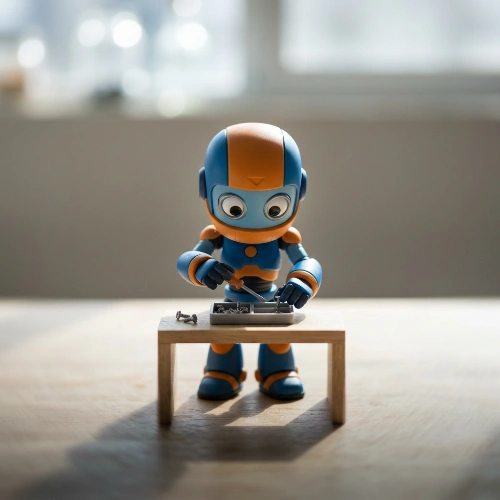
Candid High-Angle Slice
A high-angle tilt-shift cinematic image of the character captured naturally doing an everyday activity. The moment must feel candid and unstaged, like a quiet slice of life observed from above. Likeness Preservation Maintain exact proportions, eye shape, spacing, stylization, and material identity from the reference. Do not humanize. Do not reinterpret anatomy. Do not exaggerate realism. Camera & Perspective High-angle, slightly offset bird’s-eye view. Subtle isometric feeling. Equivalent to a 35mm lens adapted for tilt-shift photography. The character fills approximately 60–65% of the frame vertically. Breathing room above the head. Visible ground plane beneath. No extreme distortion. Focus Discipline (CRITICAL) Extremely shallow depth of field. Only the face and upper torso must be razor sharp. Hands interacting with an object may also be sharp. Lower legs and shoes must be slightly softened. Ground surface must progressively soften toward the bottom edge. Top and bottom edges must show strong optical tilt-shift blur. The focus band must be narrow and centered horizontally. No full-body sharpness. Pose Behavior The character must be naturally engaged in a daily action. Movement must feel subtle and believable. No staged hero poses. No exaggerated symmetry. Silhouette must remain clean and readable. Props or minimal furniture may be included only if necessary to support the action. Keep them simple and secondary. Lighting Control Bright natural daylight with firm directional key light. Light must carve the form clearly. Defined shadow under feet or object. Crisp shadow edge on ground. Subtle rim light separating character from background. No flat studio wash. No overly diffused light. Background Discipline Abstract minimal environment. Soft tonal gradient. Slight atmospheric depth. No detailed storytelling clutter. No heavy furniture unless essential to action. Background must support the character, not compete. Background Directional Structure (CRITICAL) Upper third of frame must contain soft luminous bokeh shapes or circular light blobs, gently out of focus, slightly brighter than mid-ground. Mid-ground remains neutral and unobtrusive. Lower ground plane must have subtle diagonal orientation, with a light-to-dark gradient guiding the eye upward toward the character’s head. Ground texture may contain faint linear perspective cues, but remain soft and minimal. The tonal gradient must travel from slightly darker bottom edge toward brighter mid-upper region behind the head. No flat monotone background. Color & Material Character slightly higher saturation than background. Background slightly muted. Clean premium collectible finish. Subtle surface sheen. No gritty realism. No artificial wear. Emotion Calm presence. Quiet confidence. A simple daily act elevated through composition and light. Not dramatic. Not heroic. Intimate but cinematic. Negative Lock No full-body sharpness No flat background No cluttered environment No stiff symmetrical pose No soft diffused lighting No dramatic battle energy No exaggerated realism
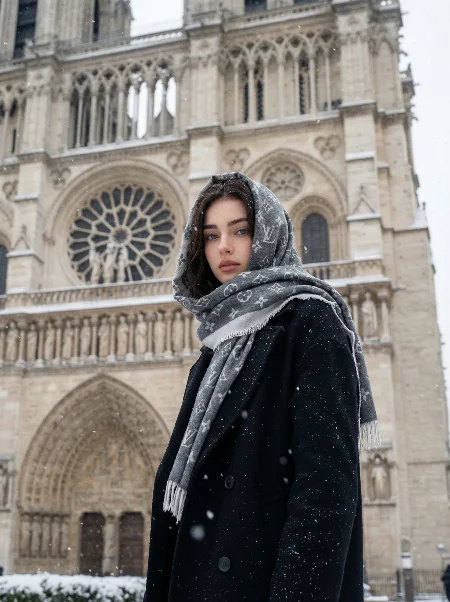
Snowy Notre-Dame Woman
A hyper-realistic medium shot of a beautiful woman standing Slightly sideways in front of the Notre-Dame Cathedral in Paris during a heavy snowfall. She is wearing a thick black wool coat and a luxury grey Louis Vuitton monogram scarf draped over her head like a hood, with white fringed edges visible. The cathedral's gothic architecture, including the rose window and stone statues, is visible in the background, partially covered in snow. Cinematic soft lighting, snowflakes drifting in the air, winter aesthetic, cold atmosphere, muted color palette (black, grey, white, and beige stone). High detail, 8k resolution, photorealistic texture on the wool and scarf fabric
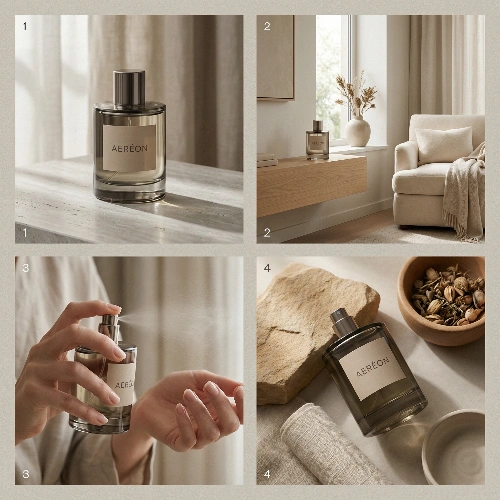
AERÉON Luxe Sensory Grid
{ "Objective": "Create a refined 2×2 grid advertisement for the luxury home fragrance 'AERÉON', emphasizing mood, atmosphere, and sensory elegance through minimal, editorial-style visuals.", "Canvas": { "Aspect_Ratio": "1:1", "Grid_Structure": "2×2 equal panels", "Orientation": "Square", "Use_Case": [ "Luxury brand social media", "Home & lifestyle campaigns", "E-commerce product storytelling", "Editorial-style digital ads" ] }, "Panels": [ { "Panel_Number": 1, "Title": "Hero Fragrance Object", "Description": "Studio hero shot of the AERÉON fragrance bottle centered on a stone or wood surface.", "Visual_Details": { "Lighting": "Soft diffused light with gentle shadows", "Background": "Neutral warm tones linen", "Focus": "Bottle shape, glass quality, minimalist label", "Mood": ["Elegance", "Calm", "Premium"] } }, { "Panel_Number": 2, "Title": "Atmospheric Interior", "Description": "Lifestyle interior scene with the fragrance placed on a shelf or table.", "Visual_Details": { "Setting": "Modern, serene living space", "Lighting": "Natural window light", "Mood": ["Comfort", "Warmth", "Refined living"] } }, { "Panel_Number": 3, "Title": "Scent Ritual Detail", "Description": "Close-up of hands interacting with the fragrance (spraying or opening).", "Visual_Details": { "Focus": "Human interaction and ritual", "Depth_of_Field": "Shallow and intimate", "Mood": ["Sensory", "Personal", "Mindful"] } }, { "Panel_Number": 4, "Title": "Material & Mood", "Description": "Macro or still-life composition featuring fragrance alongside natural elements.", "Visual_Details": { "Elements": ["Stone", "Linen", "Wood", "Ceramic"], "Lighting": "Soft highlights, low contrast", "Mood": ["Natural", "Timeless", "Atmospheric"] } } ], "Branding": { "Product_Name": "AERÉON", "Brand_Personality": "Quiet luxury, modern, sensory-focused", "Color_Palette": ["Warm Beige", "Soft Taupe", "Smoked Glass"], "Logo_Presentation": "Minimal, understated, centered or embossed" }, "Visual_Style": { "Style_Keywords": [ "Luxury home lifestyle advertising", "Editorial still-life photography", "Minimalist composition", "High realism", "Soft natural tones" ] }, "Camera_And_Lighting": { "Photography_Type": "Editorial and commercial hybrid photography", "Shot_Types": [ "Hero product shot", "Interior lifestyle shot", "Macro detail", "Still-life composition" ], "Lighting_Style": "Natural window light with soft diffusion", "Exposure": "Low contrast, warm, balanced", "Shadows": "Soft and organic" }, "Mood_Keywords": [ "Calm", "Refined", "Atmospheric", "Elegant", "Warm", "Sensory" ], "Negative_Prompt": [ "Harsh lighting", "Cluttered interiors", "Cheap glass appearance", "Bold or loud colors", "Unreadable labels", "CGI or artificial look", "Over-styling", "Watermarks", "Text overlays" ] }
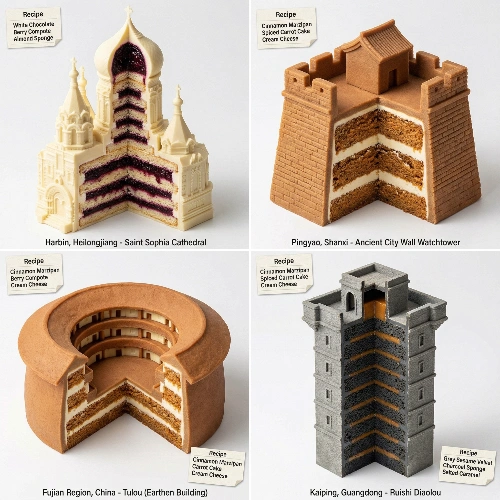
Pastry-Architectural Hidden Gems
input = China --- <instructions> input=continent or country. Find 4 less famous cities or regions, analyze deeply and select their most architecturally distinct building. Function DrawCity($lesser_known){ Concept: Architectural Cross-Section - The building's form containing complex pastry layers. Process: 1. SELECT TARGET: Identify $ BuildingName. 2. EXTRACT GEOMETRY: Define $ Silhouette (The outer profile). Do not simplify the geometry. 3. DEFINE INTERIOR ($FlavorProfile): - Assign distinct color contrast layers (e.g., Red Velvet inside White Marble, Matcha Sponge inside Grey Concrete, Gold flakes in Jelly). 4. SURGICAL SLICE: - Remove 1/4 of the structure or create a vertical cross-section. - CRITICAL: The cut must be clean and sharp. It must reveal $ FlavorProfile layers inside the walls/floors. - The remaining 3/4 of the building must remain architecturally perfect. 5. MATERIAL MAPPING (Apply texture to Exterior): IF Gothic/Ornate → Ext: White Chocolate Sculpting // interior: Layers of dark berry compote & almond sponge. IF Modern/Glass → Ext: Isomalt panes & Mirror Glaze // interior: : Geometric cubes of mango mousse & coconut dacquoise. IF Brutalist/Concrete → Ext: Grey Sesame Velvet Spray // interior: : Dense strata of charcoal sponge & salted caramel. IF Adobe/Organic → Ext: Cinnamon Marzipan // interior: : Spiced carrot cake & cream cheese strata. 6. EXECUTE: Macro shot, 45-degree angle, sharp focus on the "cut" to show texture. } Output: 2x2 grid. Run DrawCity($lesser_known) 4 times. Label: Bottom of each image "City, State/Country - Building Name". Include: A small visual recipe card in corner listing the "Internal Layers". </instructions>
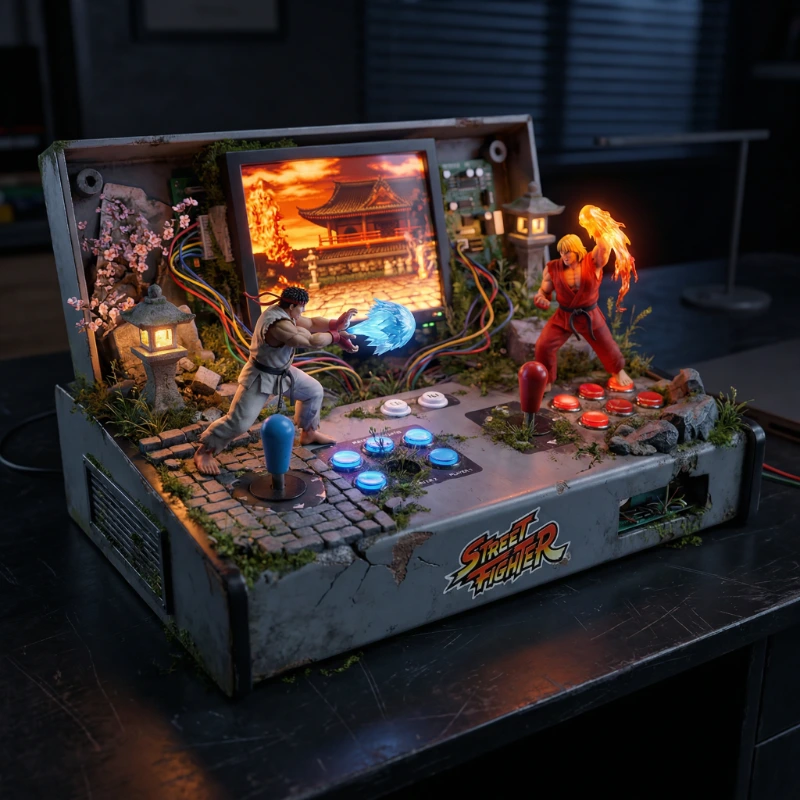
Street Fighter Hardware Diorama
Input A: Street Fighter --- Input A is a Video Game Title (e.g., The Legend of Zelda, Halo, Street Fighter, Elden Ring). Deconstruct the game to generate 3 Integrated Assets : Container : Identify the defining hardware for that title. (e.g., Zelda -> Gold NES Cartridge or Switch. Halo -> Original Xbox. Street Fighter -> Arcade Cabinet Control Deck). Biome : Identify the primary environment of the game. (e.g., Zelda -> Hyrule Grass/Ruins. Halo -> Alien Metal/Ring Surface. Elden Ring -> Golden Erdtree Leaves/Ash). The Cast (The Figures): Identify the Protagonist and a key Enemy/NPC. 2. Dynamic Container Goal: "Hardware Diorama" Photography. Object: The "Container" (Step 1) sits on a dark desk. Transformation: The hardware is NOT pristine. It is partially Disassembled or Weathered . Effect: The "Biome" (Step 1) is physically growing out of the vents, cartridge slots, or screen bezels of the hardware. (e.g., Moss growing on an Xbox, Sand spilling from a Game Boy). 3. Diorama (The Conflict): The Figures: High-detail 1:18 Scale 3D Figures of the "Cast" stand on top of the modified hardware. The Interaction: They are engaged in combat or exploration using the console's geometry as terrain. (e.g., Link climbing the D-pad like a cliff. Master Chief taking cover behind a memory card slot). The Screen: If the hardware has a screen (Handheld/Arcade), it displays a glowing, pixelated backdrop that merges with the 3D foreground elements. 4. Visual Syntax (The Glitch): Wiring: Exposed colored wires or circuit boards protrude from the hardware, weaving through the environmental elements (vines/rocks), connecting the digital world to the physical one. Labels: A worn sticker or label on the device displays the Game Title in its original font. 5. Lighting & Atmosphere: Lighting: Diegetic Mood Lighting. The scene is lit by the glow of the screen or internal LEDs (matching the game's color palette: Green for Xbox, Gold for Zelda). Scale: Shallow depth of field to emphasize the miniature scale of the figures against the "giant" controller buttons. Output: ONE image, 1:1 Aspect Ratio, 3D Render, "Custom Mod" aesthetic, High Narrative Detail. </instruction>
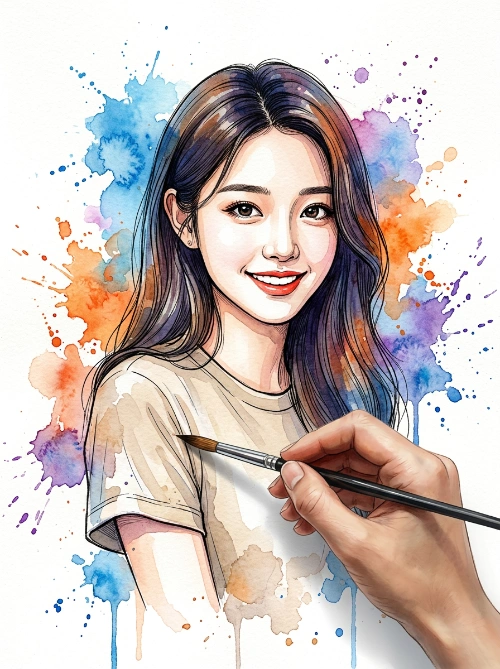
Dynamic Watercolor Portrait
Create a vibrant and artistic watercolor painting of a smiling person, using the uploaded photo as the facial reference without altering their facial features or appearance. The person is wearing a neutral-tone T-shirt. The background is clean white, filled with dynamic and expressive watercolor paint splashes in blue, orange, and purple spreading organically across the scene. In the foreground, a realistic human hand holds a paintbrush as if actively painting the sleeve of the man’s hoodie, creating the illusion that the portrait is being painted at that exact moment. The visual style combines detailed ink line art with loose watercolor textures, including paint drips, fine splatters, soft pigment diffusion, watercolor blooming effects, and natural paper texture. The image features strong contrast, an expressive and dynamic artistic look, a clear hand-painted aesthetic, centered composition, soft lighting, high level of detail, and a modern illustration style.
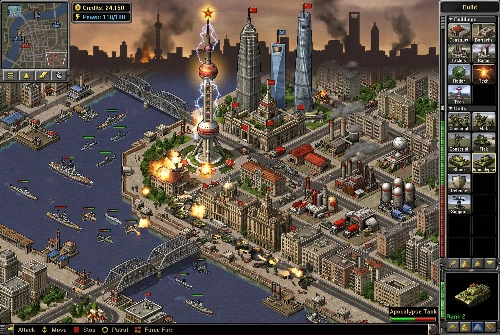
Retro Shanghai RTS Battle
Retro real-time strategy game screenshot in the visual style of the classic 2000s RTS game Red Alert 2. Isometric top-down battlefield map set in modern Shanghai, China. The terrain, roads, rivers, and city layout resemble Shanghai, with recognizable landmarks adapted into RTS game structures: Oriental Pearl Tower functioning as a tech structure, Shanghai Tower and Jin Mao Tower appearing as tall futuristic command buildings, Bund waterfront converted into defensive structures and walls, Huangpu River crossing the map with RTS bridges. Dense Shanghai urban districts turned into RTS base layouts with factories, power plants, radar domes, barracks, and refineries designed using Shanghai architectural elements and Chinese urban aesthetics. Classic RTS base-building scene: construction yards, tank factories, power plants, radar dishes, missile turrets, and supply depots integrated with Shanghai-style buildings and skyline silhouettes. Units include tanks, infantry squads, helicopters, and naval units moving around the Huangpu River. Explosions, smoke, and battle effects typical of early 2000s RTS games. Authentic retro game interface: classic RTS UI panels, minimap in the corner, unit selection boxes, build menu icons, health bars above units, resource counters, and command buttons similar to early RTS interfaces. Pixel-art inspired textures and slightly low-resolution sprites to mimic early 2000s PC game graphics. Camera perspective: classic isometric RTS camera angle from above, showing a large portion of the battlefield and city layout. Bright strategic map colors with clear terrain segmentation for roads, water, buildings, and base structures. Atmosphere: busy battlefield in a stylized Shanghai warzone, tanks rolling through city streets, defensive turrets near landmarks, helicopters flying over the skyline, naval units in the Huangpu River. Nostalgic early-2000s PC game aesthetic, detailed RTS battlefield composition, cinematic but clearly recognizable as a game screenshot.
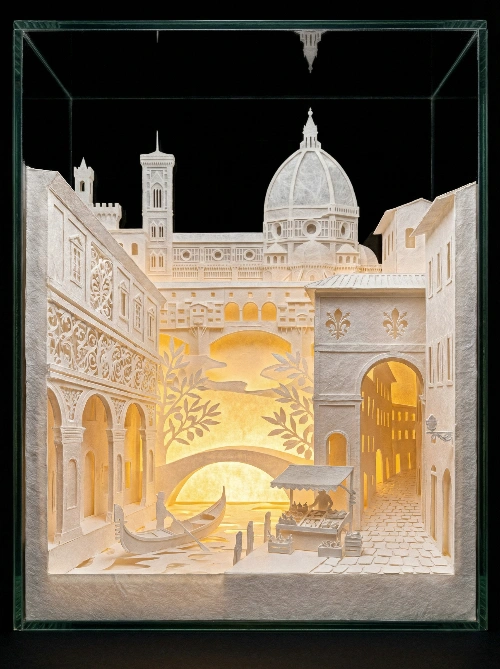
Florence Paper Cut Diorama
CITY_NAME: Florence -- A hyper-detailed 3D layered paper cutting art diorama of [CITY_NAME]. The cityscape features iconic landmarks and recognizable architecture of the city looming in the background, rendered in pure white paper. Buildings and layers are adorned with intricate culturally relevant filigree pattern cutouts and traditional motifs suitable for the location. Characteristic local elements are in the foreground. The entire scene is illuminated by a **radiant, intense warm amber light source from within** the layers. The pure white paper acts as a diffuser, becoming **translucent and glowing brightly**, revealing all intricate details. **Subsurface scattering effect**, **golden hour atmosphere** against a pitch-black background. Miniature world, exquisite texture, 8k resolution. --ar 3:4